Built for US and Canadian composting facilities
When the inspector asks for a batch from four months ago
Your permit says every batch has to reach pathogen-reduction temperature and hold it. What an inspector actually asks for is the paper. PileProof keeps that record while the batch is running, and prints it when someone asks — day by day, in your site's timezone, with the permit number you recorded for the site.
No card required. Your records stay exportable, always — even if you cancel. See pricing.
Your permit's paper trail, without the paper
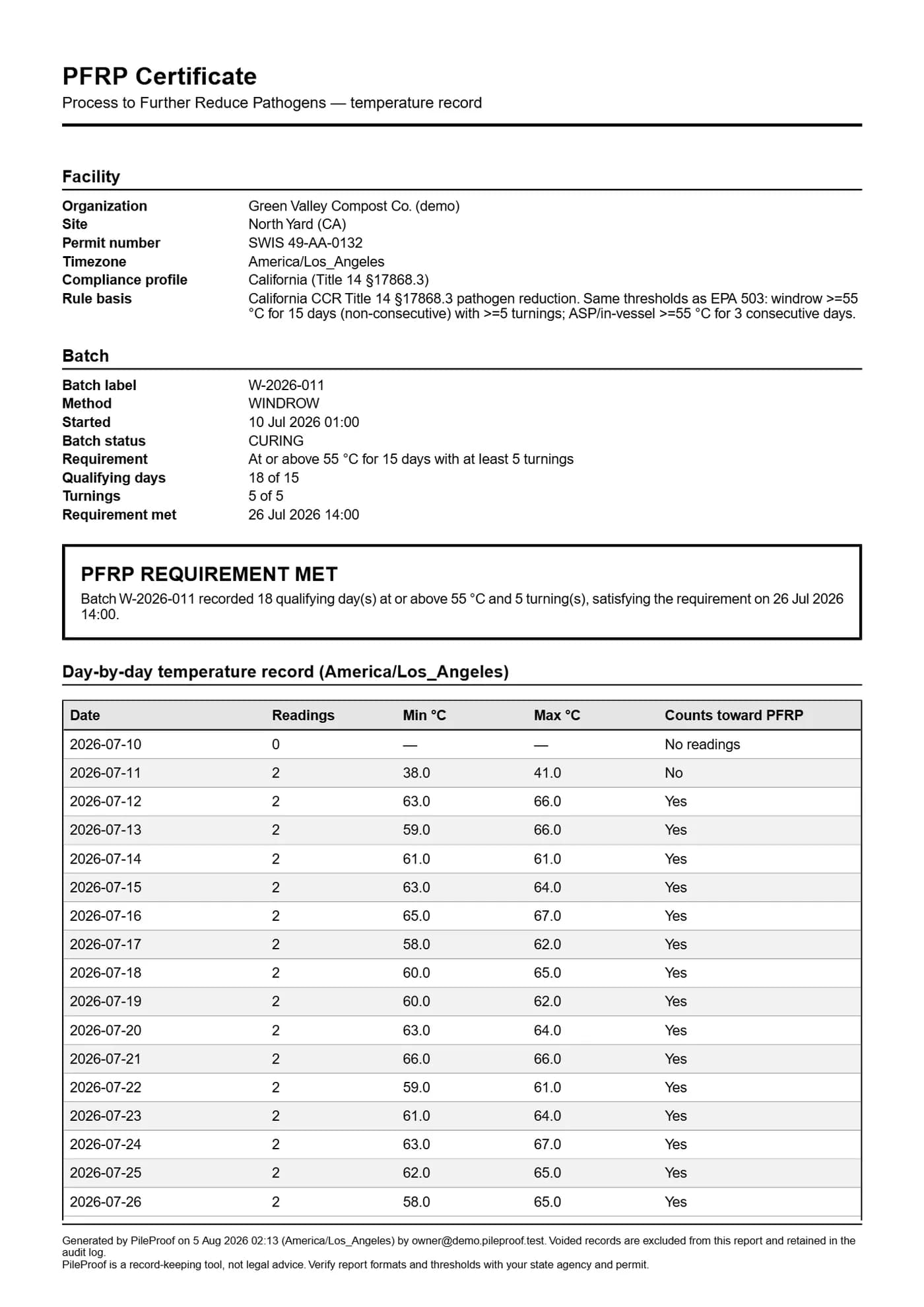
A PFRP certificate generated by PileProof from the seeded demo facility — real output, not a mockup. Permit number, rule basis, 18 qualifying days against a required 15, 5 turnings of 5, the verdict in words, and the day-by-day table underneath it. Open the full certificateA missed day costs one day on a windrow. On an aerated static pile it costs the run.
The federal process in 40 CFR 503 Appendix B is not one rule. It is two, and they fail differently.
A windrow needs fifteen days at or above 55 °C, with at least five turnings during the process period. Those fifteen days do not have to be consecutive — miss one and you have lost a day, not the batch.
An aerated static pile or an in-vessel system needs three consecutive days. Miss one and the count restarts at zero.
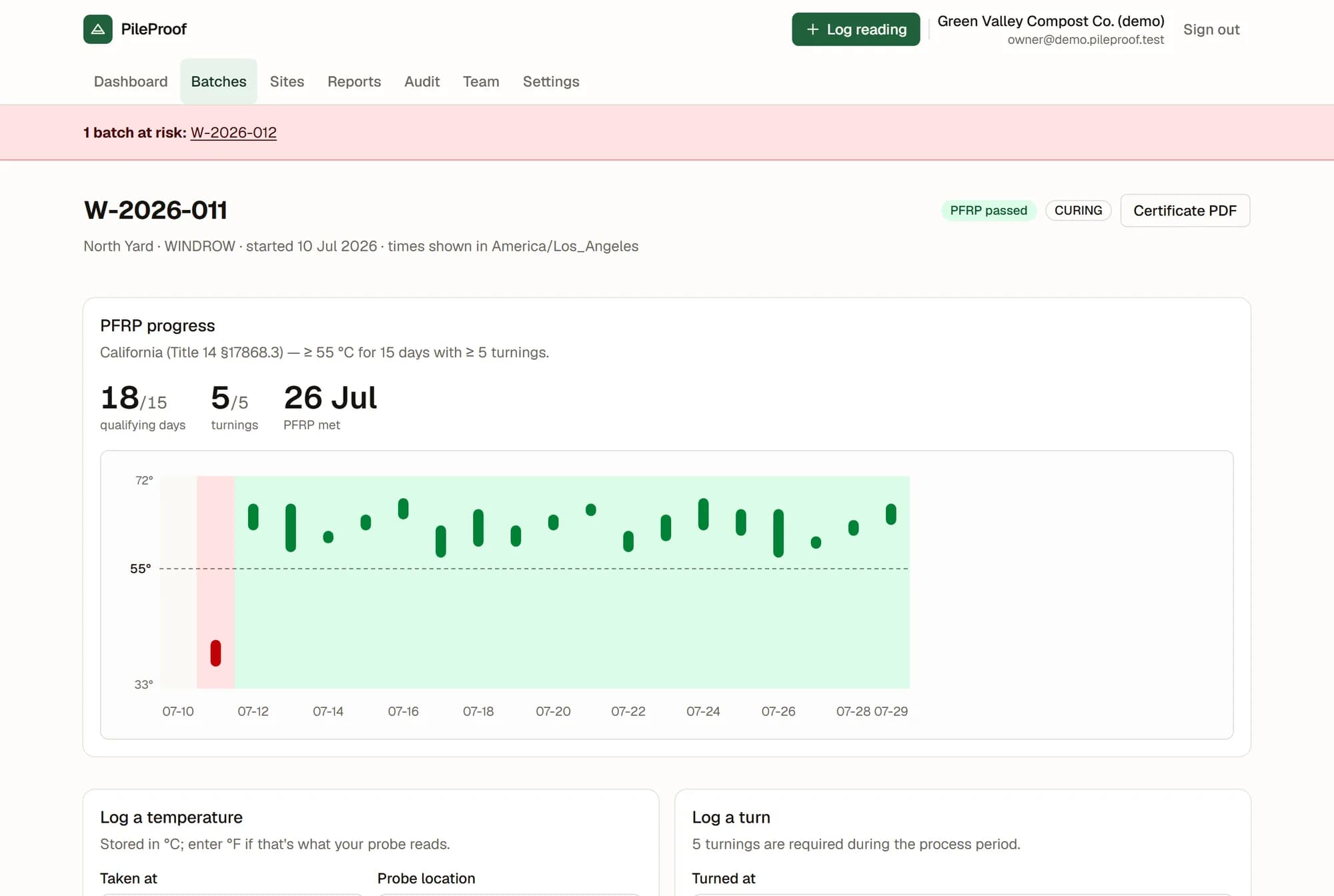
PileProof holds both, per site, in a compliance profile. Every reading updates the arithmetic: qualifying days, current run, turnings against the five required, and the earliest date the batch could still pass if every remaining day qualifies. That projection is labelled optimistic, because it is.
One thing the arithmetic does that a clipboard cannot: by default a day only counts if every reading taken that day reached the threshold. One cold probe out of four disqualifies the day. That is the strict reading, and it is the one you want standing behind a certificate.
On paper, a missing day is invisible until somebody reads the sheet
Nobody notices a gap on paper. The sheet gets wet. A probe run gets skipped when a truck shows up at the scale. Tuesday's number ends up on Wednesday's line. Four months later an inspector asks for that batch, and the gap is the first anyone hears of it. By then the pile is gone and the compost is sold.
PileProof does not make a crew more careful. It changes when you find out.
You hear about a bad batch this week, not in April
Every reading recalculates the batch. When a probe comes back below 55 °C after the pile has already reached temperature, that day stops counting and the batch is flagged at risk straight away, naming the date and the temperature it dropped to.
When a pile stops being probed at all, the flag comes from the calendar instead of a reading: on both shipped profiles, a gap of more than two days marks the batch at risk whether or not anybody opens the app.
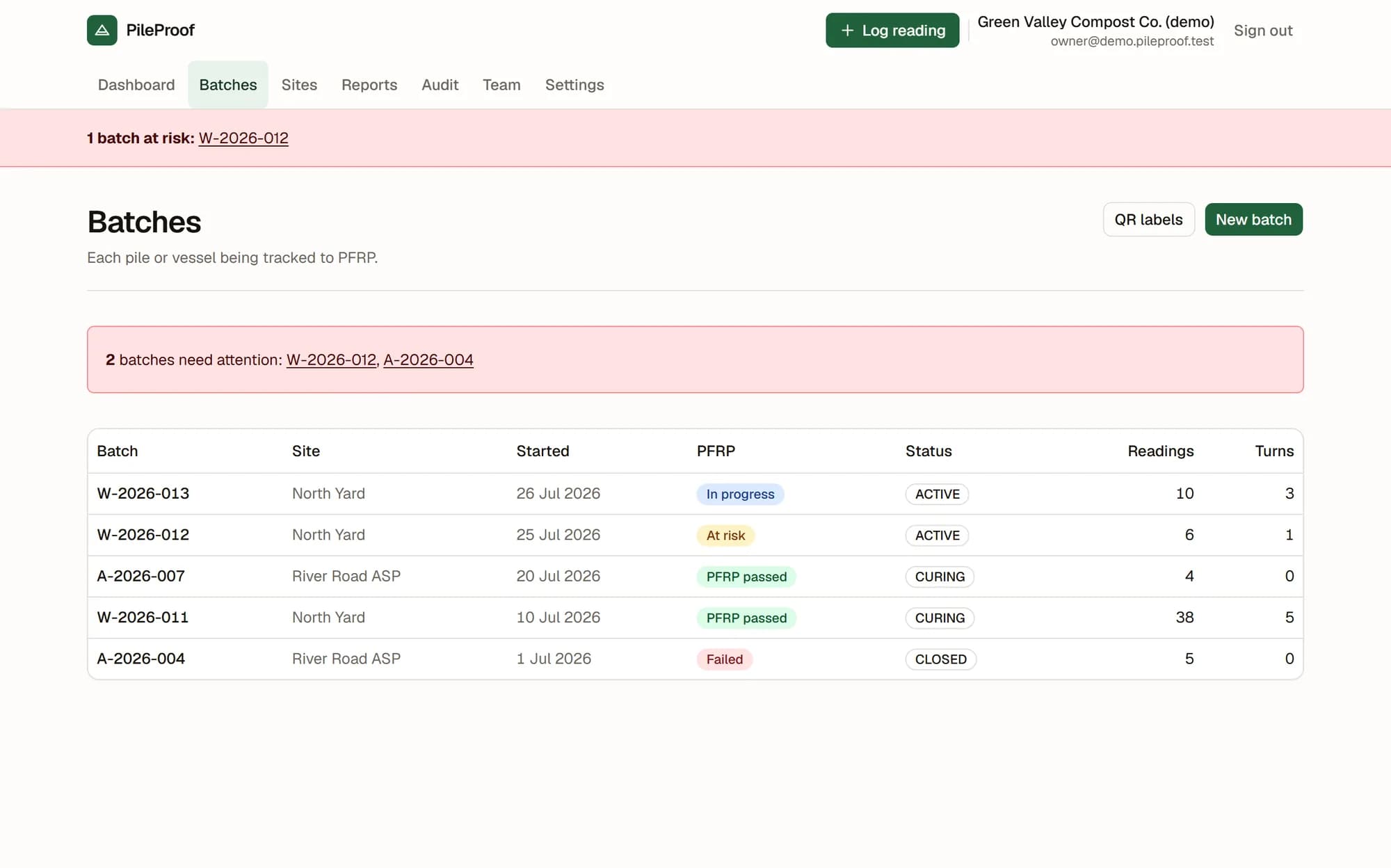
The flag shows up as a red band across the top of every page and as a needs-attention list on the dashboard. Once a day, owners and managers get an email listing what is at risk, what is overdue a reading, and what still owes turnings.
If there is nothing to report, no email is sent. A daily email that says “all fine” is an email people stop reading, and then the one that matters gets skipped too.
Every pile, and which one needs walking out to
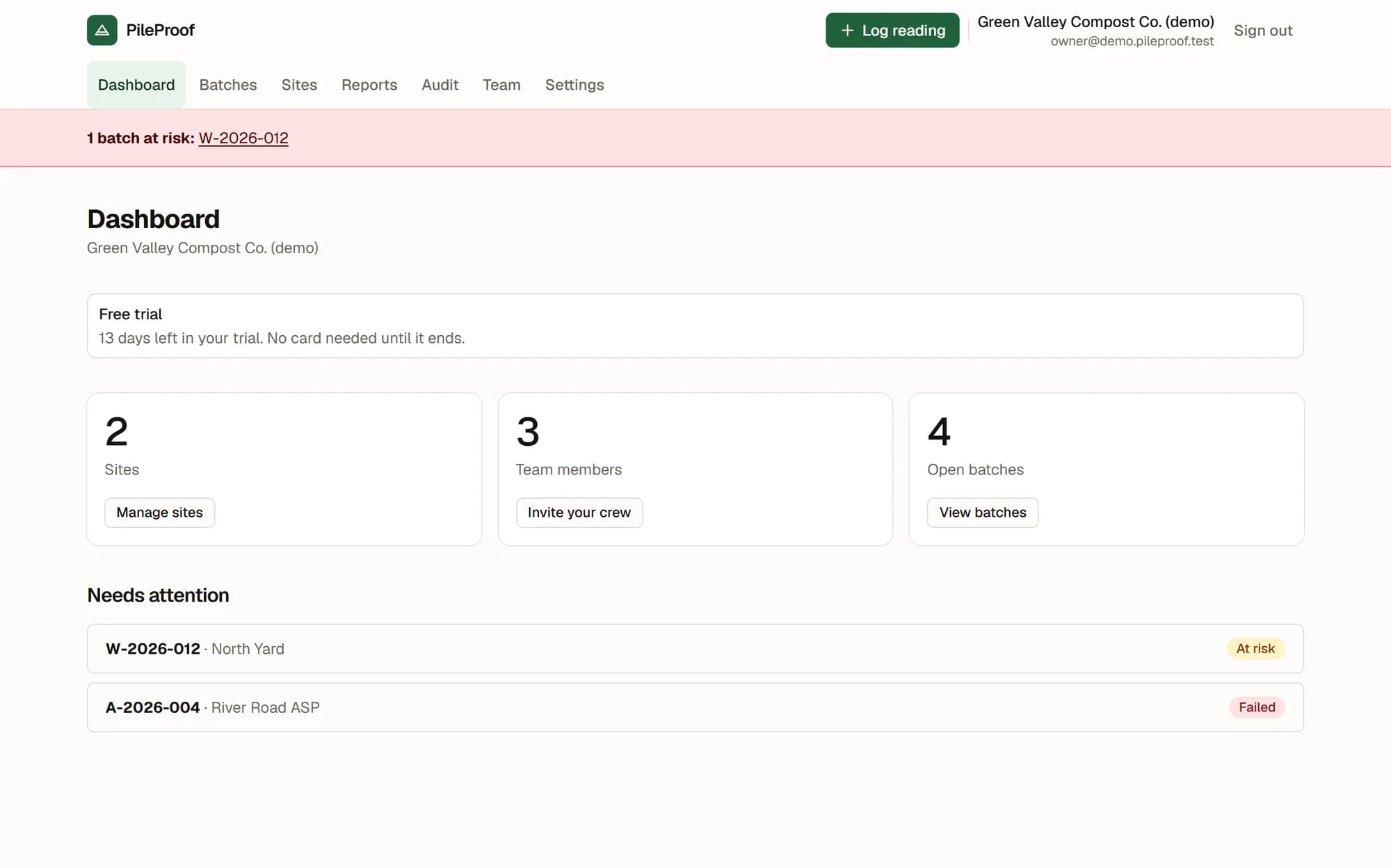
One row per windrow, pile or vessel: which site it is on, when it started, where it stands against PFRP, how many readings and how many turns are on it. In progress, At risk, PFRP passed, Failed.
Failed is not a temperature verdict. It means the batch was closed without meeting the requirement — the one case where there is nothing left to do about it.
The counts leave out anything that has been voided, so the number next to a batch is the number of records standing behind it. Print the QR labels, laminate them, and stake one at each pile; scanning opens the logging screen with that batch already selected. The codes are embedded in the sheet, so printing needs no network.
The crew screen has one job
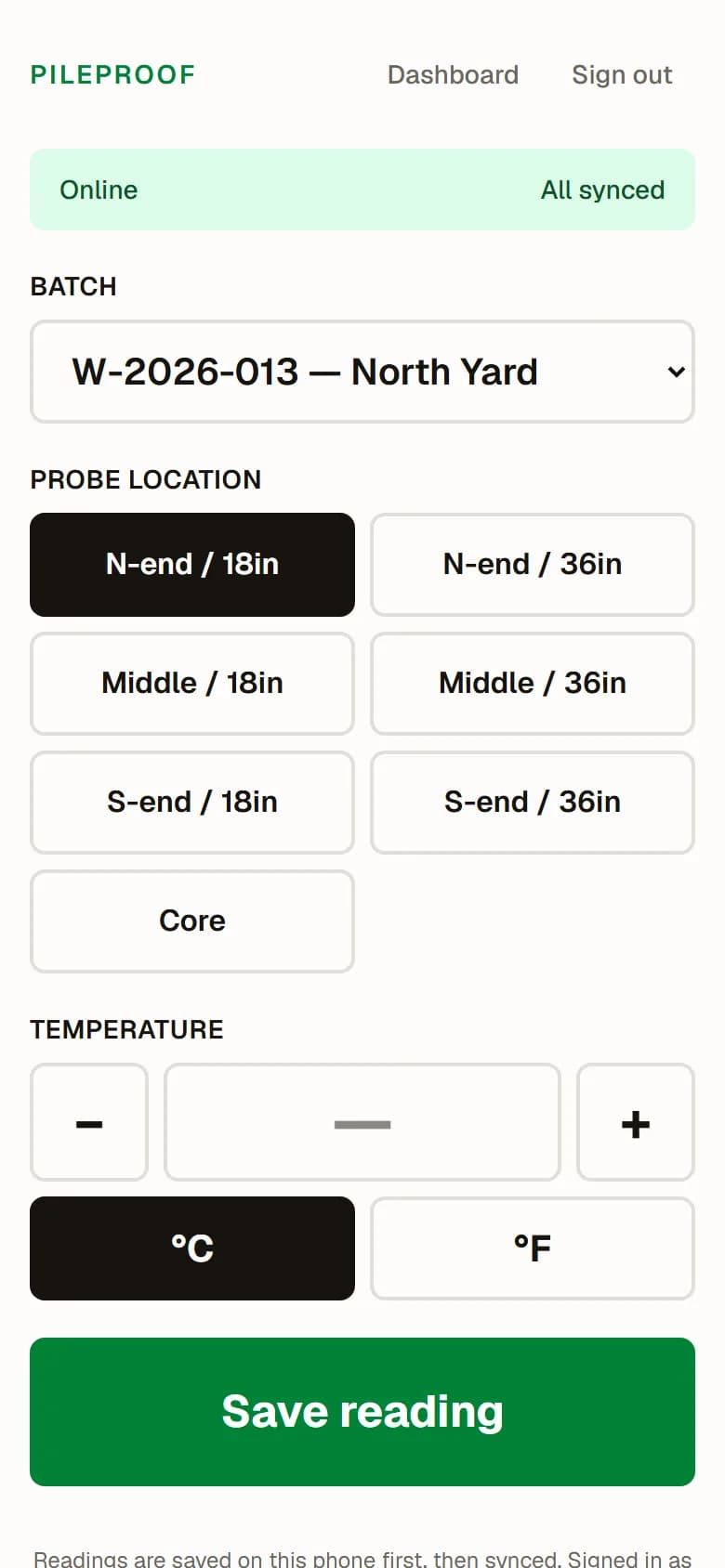
Pick the batch, tap the probe location, set the number, save. The controls are sized for gloves — 56 px and up, with the Save button at 80 px. °F or °C, because that is what the probe reads; it is stored in °C either way.
It works with no signal. Every reading is written to the phone before anything is sent to the server, and the queue drains when the phone gets bars: on reconnect, every thirty seconds after that, and whenever somebody taps Sync now. The bar at the top says whether it is online and how many readings are still waiting.
Nothing disappears quietly. A reading the server refuses is kept on screen with the reason and a Try again button, and discarding one asks first. Each reading carries an ID the phone generated, so a retry returns the original instead of counting it twice, and the time the crew recorded is the time that gets stored — the server never overwrites it with its own clock.
Readings are stamped with whoever took them and only sync under that account, which matters on a shared yard phone. Crew can log; they cannot reach reports, the audit log or the team screen, and they cannot void a record.
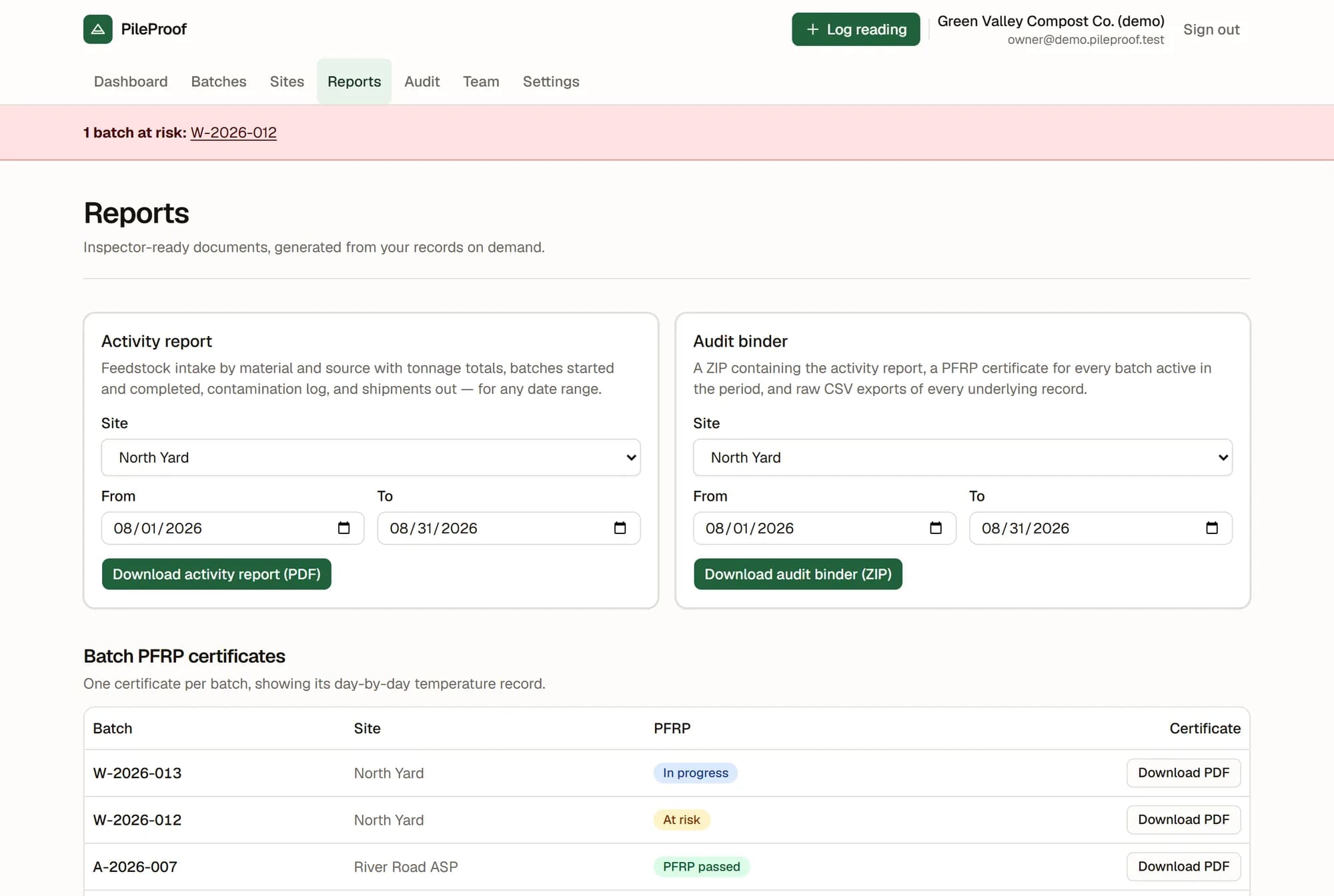
Pick a site and a date range
One PFRP certificate per batch — every batch, whatever its status; a failed batch gets one too, and it says what went wrong. An activity report for any date range. An audit binder as a ZIP: the activity report, a certificate for every batch that was actually active in that period, and raw CSVs of every reading, turn, feedstock load, contamination event and shipment behind them — plus a README explaining what is in the folder a year from now.
Every timestamp in those CSVs appears twice, in UTC and in the site's own local time.
Nothing sits on a shelf going stale. No PDF is stored as a finished file; each one is built from the records at the moment you download it, so a document cannot drift from the data it claims to describe. What is stored is the fact that you produced one — which document, which site, which period, who generated it and when.
Feedstock in, contamination, product out
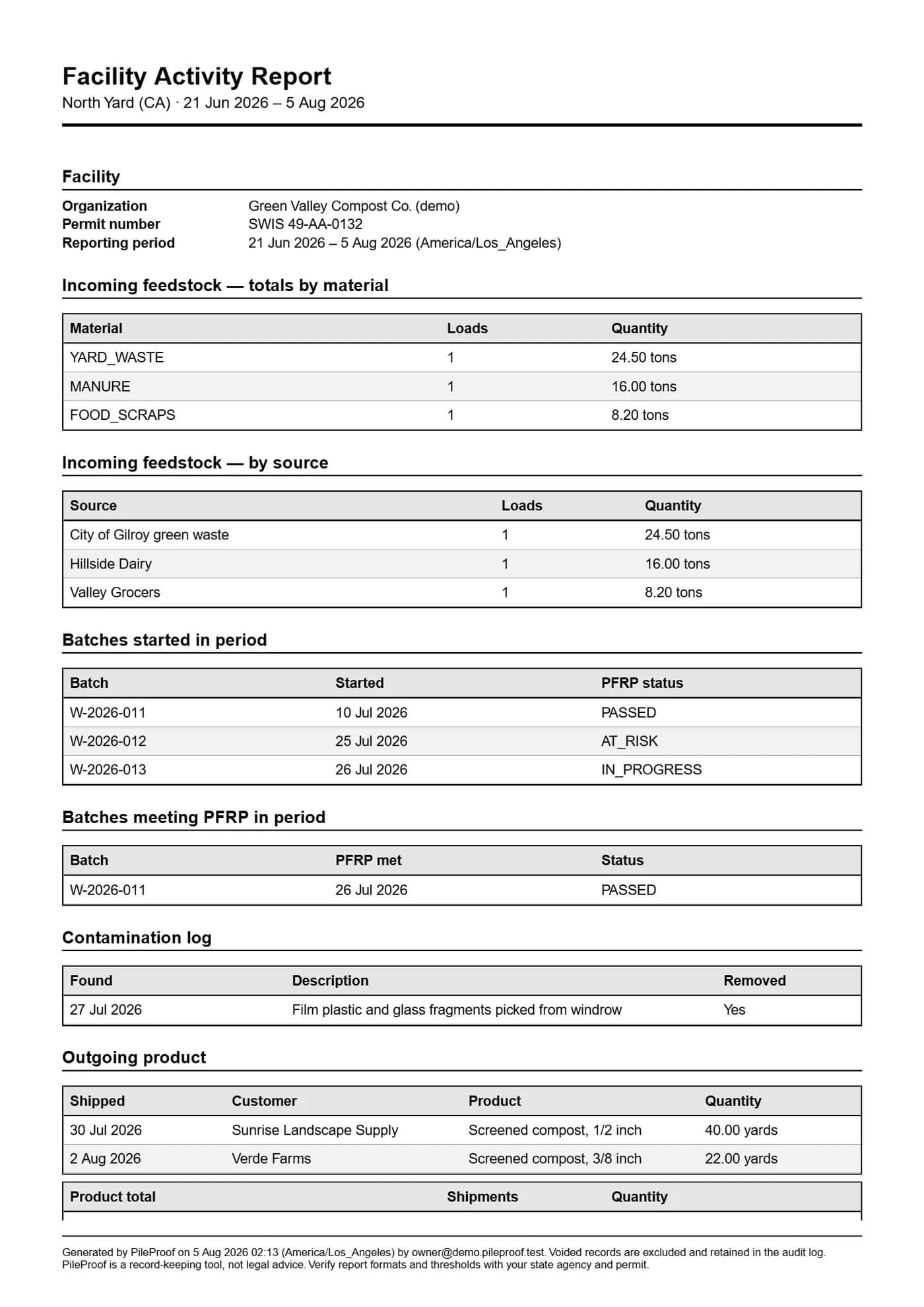
PFRP is not the only thing the state asks about. The activity report totals incoming feedstock by material and by source with load counts, lists the batches started and the batches that met PFRP in the period, the contamination log, and everything shipped out with per-product totals.
Tons and cubic yards are never added together. They are different things and the report keeps them apart.
Batch status on the report is the status as of the end of the period, worked out the same way the app works it out — not a column stored months ago. A batch that has gone quiet prints as AT_RISK, not IN_PROGRESS.
A record you can quietly edit is not evidence
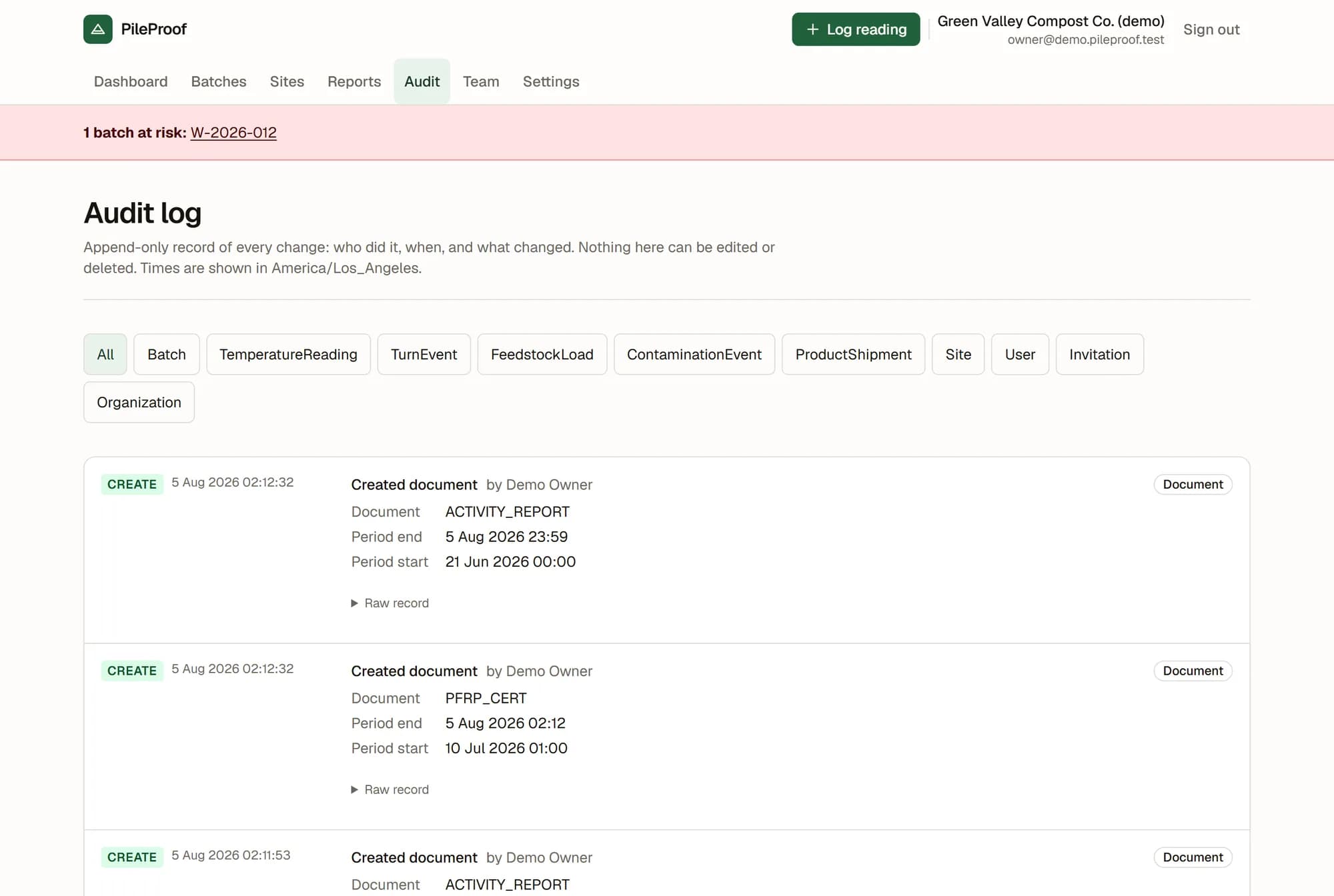
Every create, update, void and document download writes an audit entry in the same database transaction as the change itself: who did it, when, which record, and field by field what changed, with the raw stored record kept underneath. The log is append-only — no screen in PileProof edits or removes an entry.
Compliance records are never deleted either. A wrong reading is voided with a written reason, by an owner or a manager. The engine and the PDFs skip it; the CSVs in the audit binder keep it, with the reason attached. If anyone asks why a reading is not on the certificate, the answer is in the binder rather than in somebody's memory.
Your state's numbers are data, not code
The temperature threshold, how many days, whether they have to be consecutive, the minimum turnings, how many readings a day must have and how long a gap is tolerated all live in the compliance profile attached to each site. None of it is buried in application code.
Five profiles ship today: the US EPA 503 default, California Title 14 §17868.3, the CCME guidelines for Canada, BC's OMRR Schedule 1 and Ontario's Compost Quality Standards. They carry the same time and temperature pairs — Canada's pathogen-reduction numbers match the federal US ones — so what a separate profile buys you is the citation printed on the certificate, which is what an inspector reads. Each site also carries its own permit number and its own timezone — and the timezone decides what counts as a day, which is the difference between a reading landing on the right calendar day and the wrong one.
Recordkeeping requirements by state and province
- California
- Washington
- Massachusetts
- New York
- Oregon
- Colorado
- Texas
- Florida
- British Columbia
- Ontario
- Quebec
- Alberta
- Nova Scotia
Each gives you the agency and the citation, which is enough to go and read the rule yourself. They are starting points with correct references, not summaries of law, and they say so.
The questions operators actually ask
My crew won't use it.
There is no signal at the back of the yard.
Someone typed the wrong number.
We passed our last inspection on paper. Why change?
What happens to my records if I stop paying?
Who do I talk to if something goes wrong?
We run more than one yard.
What it costs, and what happens if you stop paying
Standard is $149 a month: 1 site, 5 team members. Multi-site is $299 a month: up to 4 sites, 20 team members. Everything is in both plans — the only difference is how many sites you run.
14 days free. No card.
If a subscription lapses, logging pauses. Reading, reporting and exporting do not. You can still download every certificate, every activity report and the full audit binder. And a failed card does not stop a crew recording today's temperature — losing that reading is a compliance problem, not a billing one.
What this is not
PileProof is a record-keeping tool, not legal advice. It records what your crew measured, applies the thresholds in the compliance profile you chose, and prints what it found. Verify report formats and thresholds with your state agency and your permit. That line is on every page and on every document it generates, deliberately.
Nothing is filed anywhere on your behalf. There is no connection to any agency and no inspector login — you download a PDF or a ZIP and you hand it over. There is no probe or datalogger integration: every reading is entered by a person.
Missing the thing you actually need?
Every facility keeps records a little differently — your state asks for something ours does not, your permit has a condition we have not seen. While PileProof is young we would rather build those things than argue about them, and we will not charge you for it.
The trade is that it ships to everyone, which is exactly why we can do it for nothing. You do not have to be a customer to ask.
Make the next inspection boring
Add your site, start a batch, log one reading from your phone.
No card required.